 MarkLift

Copy any web page as clean Markdown for AI
MarkLift is a Chrome extension that turns the article, docs page or thread you are reading into tidy Markdown, ready to paste into ChatGPT, Claude, Gemini or your notes. No menus, ads or cookie banners.
Why MarkLift
No access to all your sites
It reads a page only when you click it. No "read all your data on all websites" warning at install.
Works on any site
Uses proven readability and Markdown converters instead of scraping one site's layout, so it does not break when a site changes.
Private by design
Pages are converted on your device. No analytics, no ads, no remote code.
Tables, code and links kept
Headings, lists, tables and fenced code blocks with their language come through intact.
Prompt templates
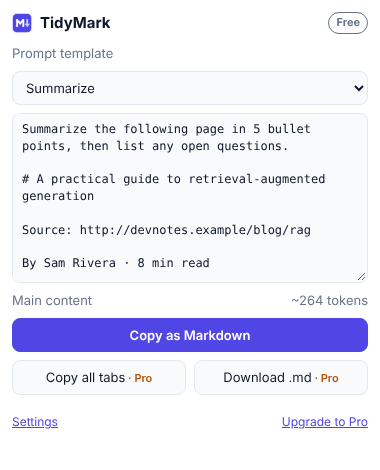
Summarize, explain, ask questions or translate in one click, with a token estimate before you paste.
Three ways to copy
Toolbar button, right-click menu or the Alt+Shift+M shortcut. Copy the whole page or just your selection.
Pricing
| Free | Pro | |
|---|---|---|
| Copy page or selection as Markdown | ✓ | ✓ |
| Main-content extraction, tables, code blocks | ✓ | ✓ |
| Token estimate, link and image options | ✓ | ✓ |
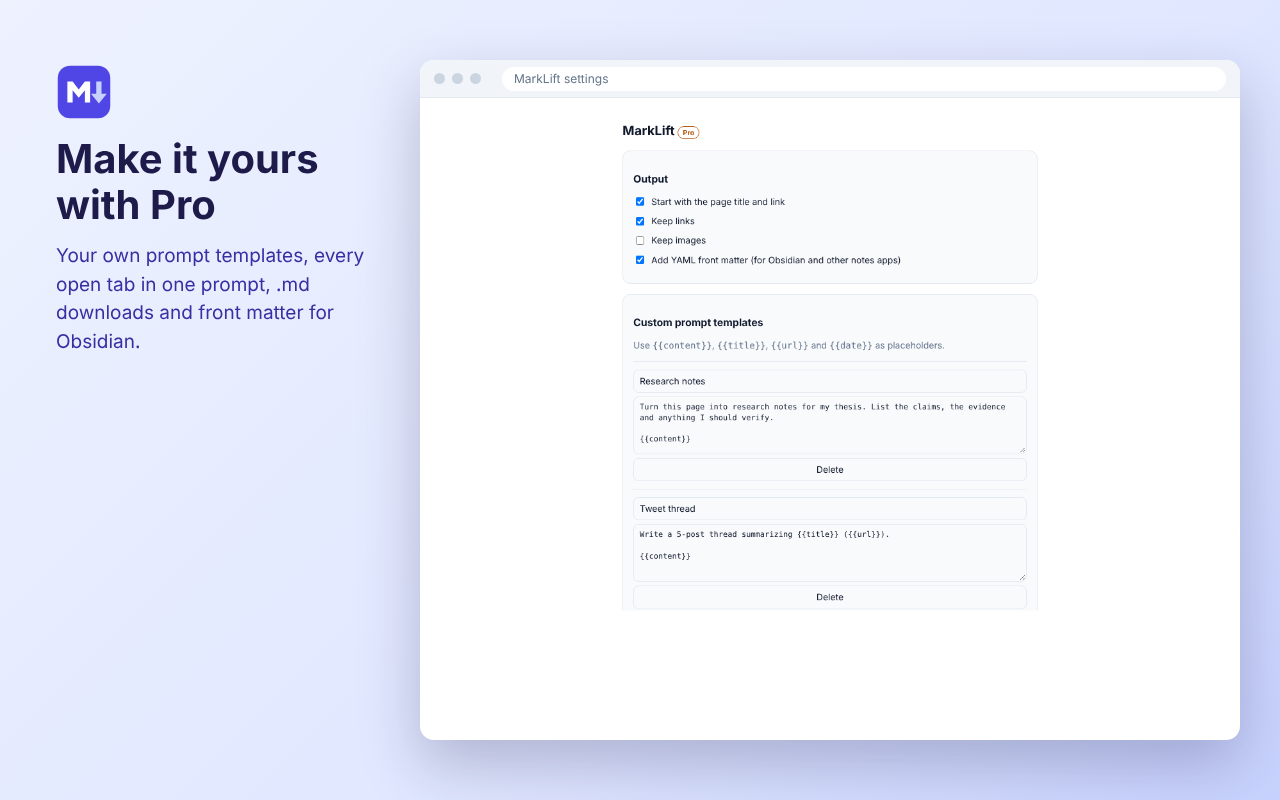
| Prompt templates | 2 | All, plus your own |
| Copy every open tab into one prompt | ✓ | |
| Download as .md | ✓ | |
| YAML front matter for Obsidian and other notes apps | ✓ |
Payments, invoices and VAT are handled by our merchant of record, Polar. After purchase you receive a license key by email. Paste it in MarkLift's settings to unlock Pro on up to 3 browsers. You can manage or cancel your subscription in the Polar customer portal.
Install
MarkLift will be available in the Chrome Web Store shortly. It also works in Edge, Brave and other Chromium browsers.
Support
Questions or problems? email bartz@develop4future.de.